Netskope 0 to 1 Project
Expanding Netskope's security suite with a fingerprint-based file manager to safeguard critical files
Role
Lead Product Designer
Team
Product Manager, Engineering
Tools
Figma
Timeline
5 Months
Overview
Netskope Cloud DLP detects threats to prevent data loss. But certain image and CAD files couldn't be detected, and false positives were common. To strengthen detection, the product expanded into fingerprint technology for scanning those file types.
As design owner of Netskope DLP, I led the 0-to-1 design of a file manager that lets users upload files for fingerprint scanning, create policies to prevent file loss, and manage files to reduce false positives.
Problem
The file fingerprinting process isn't transparent and easy to manage, resulting in failure to include the files in a policy.
The command line gave users no visibility into fingerprint status and no way to manage files after upload. Without knowing whether a file was ready, what type it was, or where it lived, users couldn't confidently add it to a policy.
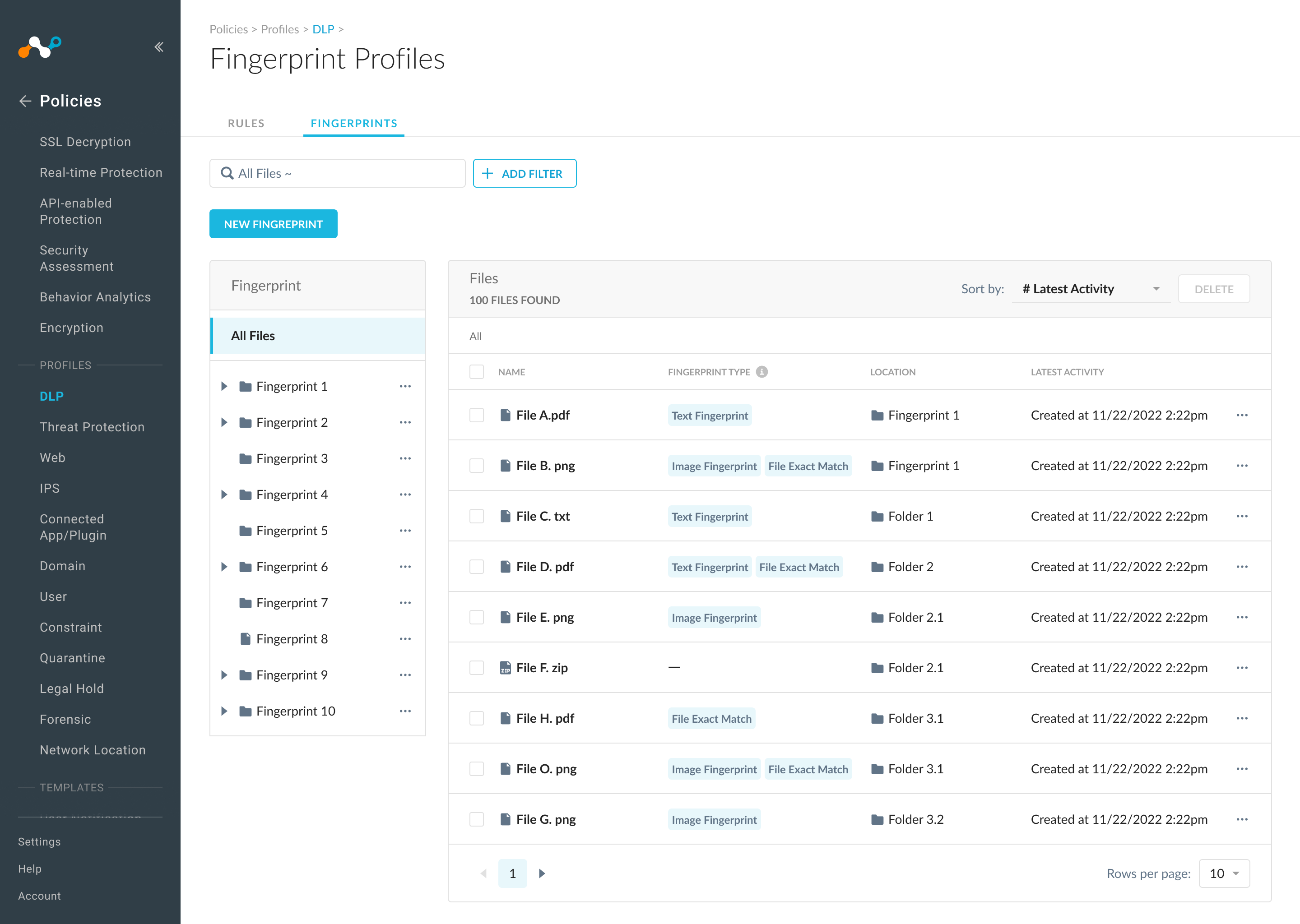
To solve this, we designed a file manager that gives users full visibility into their fingerprinted files, letting them browse folders, access fingerprint details, and take actions like editing, replacing, or deleting files directly from the interface.
90% user adoption in under 3 months
Led through ambiguity
I led the team through ambiguity, delivering a design that meets both product and user needs.
Expanded the product line
The project's success enabled Netskope to expand its detection capabilities and drive revenue growth.
85% rated it helpful
85% of survey respondents rated the feature as very helpful and easy to use.
🧩Project Challenge
The product brief is highly ambiguous, and I need to translate it into a clear direction
The PRD lacked defined pain points, user workflows, and feature scope, leaving critical design decisions undefined from the start.
💡My Approach
Understanding product goals, user needs, and technology
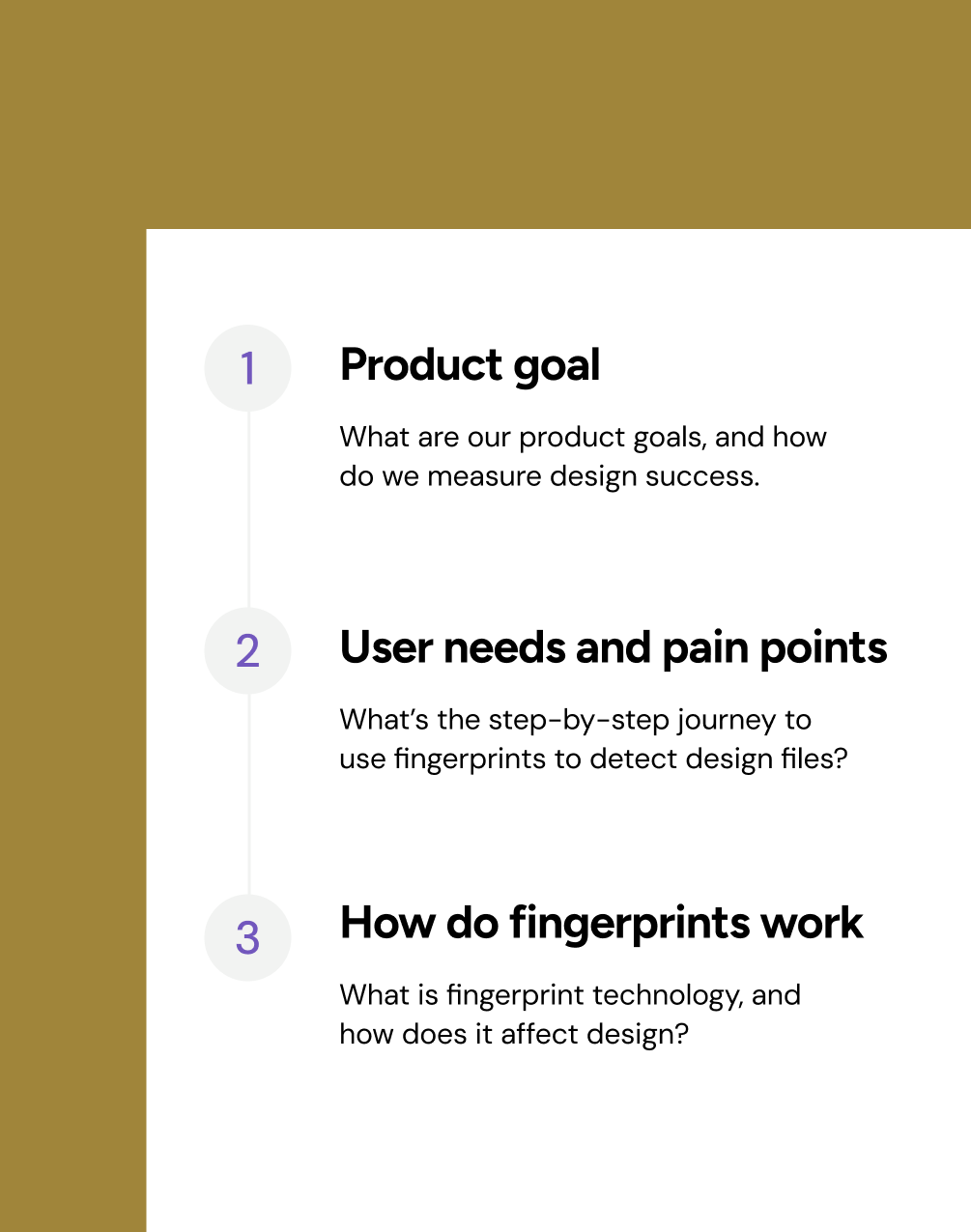
I aligned with PM on product goals and engineering on technical constraints, conducted user research to map the journey and pain points, then defined UX goals, key features, and user flows.
🗺️User Journey
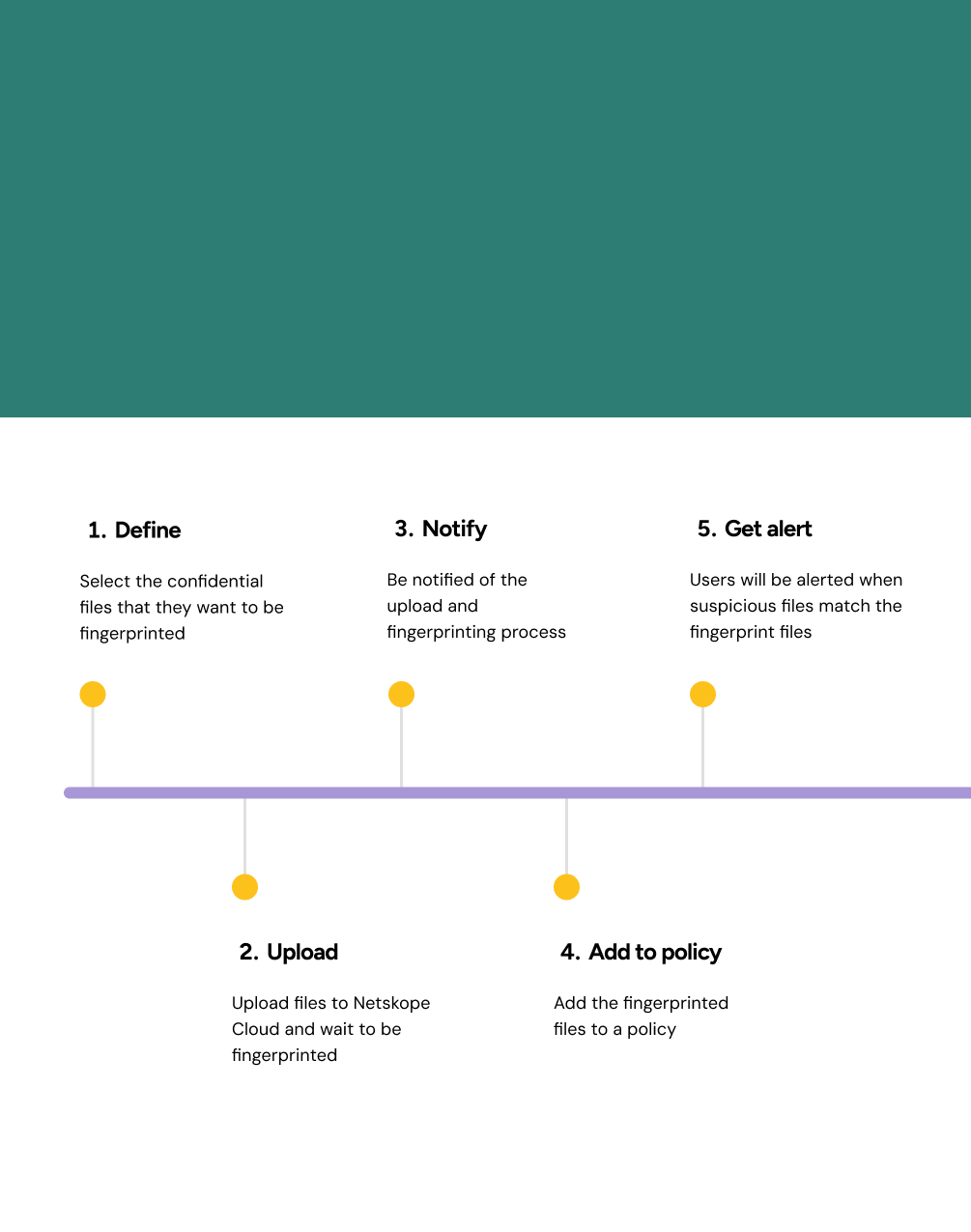
Users' goal is to add fingerprinted files to a policy to detect threats
Research showed that users need fingerprinted files added to a policy to trigger alerts on suspicious activity. The current command-line workflow made this step impossible.
🔍Pain Points
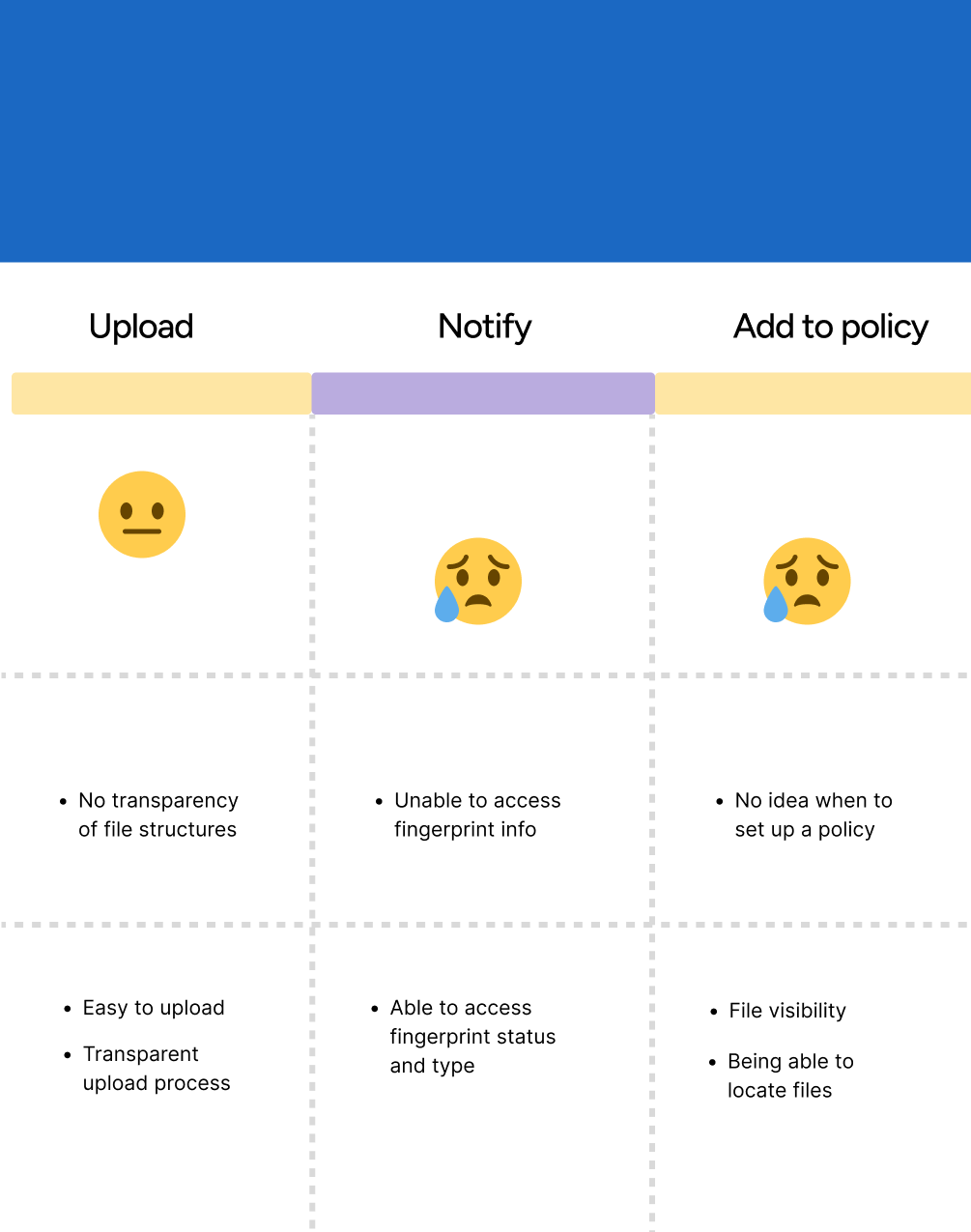
No file visibility, no status transparency, and no way to manage files
Through interviews, I mapped each step of the user journey to uncover key pain points: no interface to upload files, no visibility into fingerprint status, and no way to manage files after upload.
🧩Project Challenge
The product brief is highly ambiguous, and I need to translate it into a clear direction
The PRD lacked defined pain points, user workflows, and feature scope, leaving critical design decisions undefined from the start.
💡My Approach
Understanding product goals, user needs, and technology
I aligned with PM on product goals and engineering on technical constraints, conducted user research to map the journey and pain points, then defined UX goals, key features, and user flows.
🗺️User Journey
Users' goal is to add fingerprinted files to a policy to detect threats
Research showed that users need fingerprinted files added to a policy to trigger alerts on suspicious activity. The current command-line workflow made this step impossible.
🔍Pain Points
No file visibility, no status transparency, and no way to manage files
Through interviews, I mapped each step of the user journey to uncover key pain points: no interface to upload files, no visibility into fingerprint status, and no way to manage files after upload.
🎯 Solution
A fingerprint-based file manager that allows users to upload, access, and manage fingerprinted files
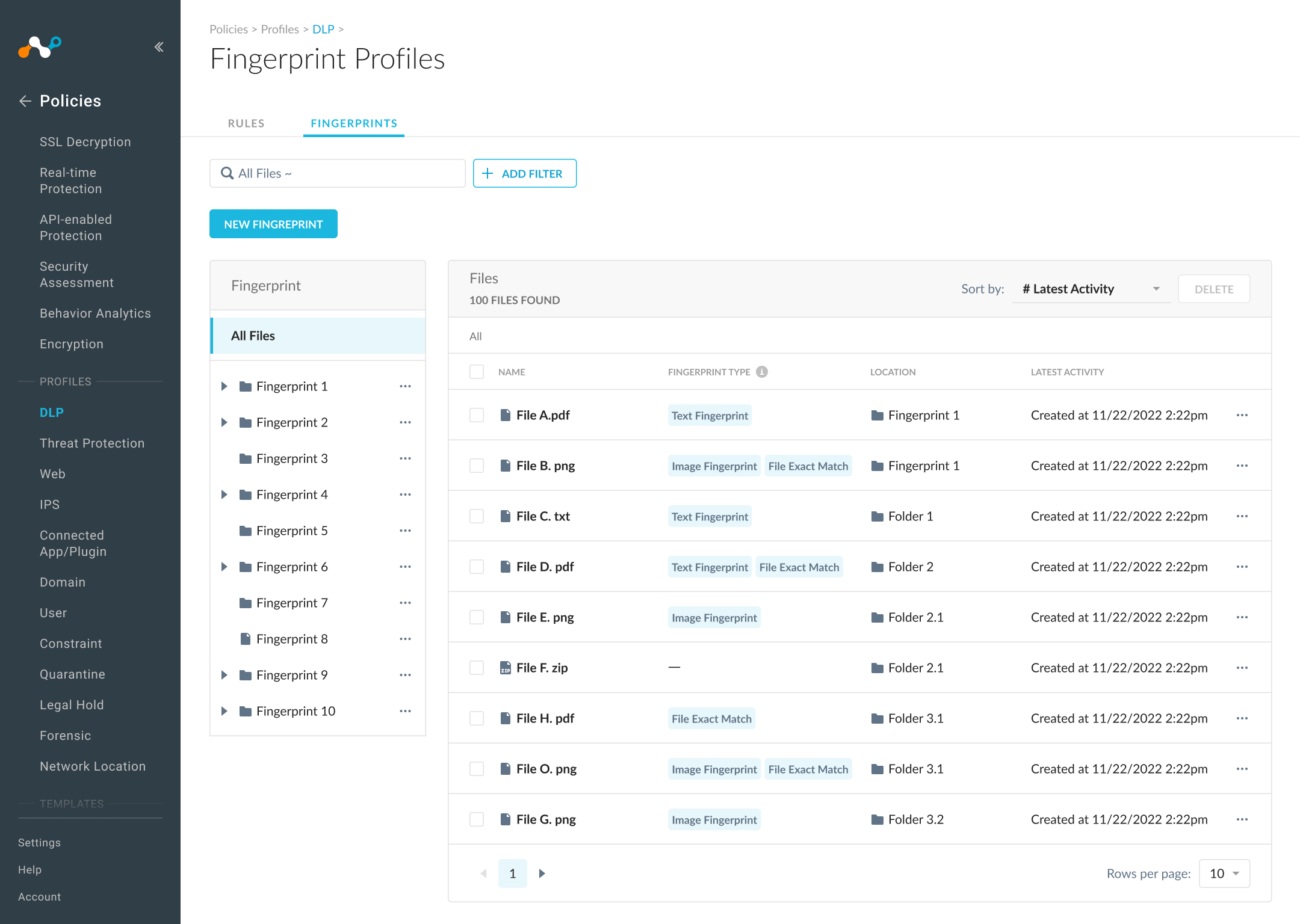
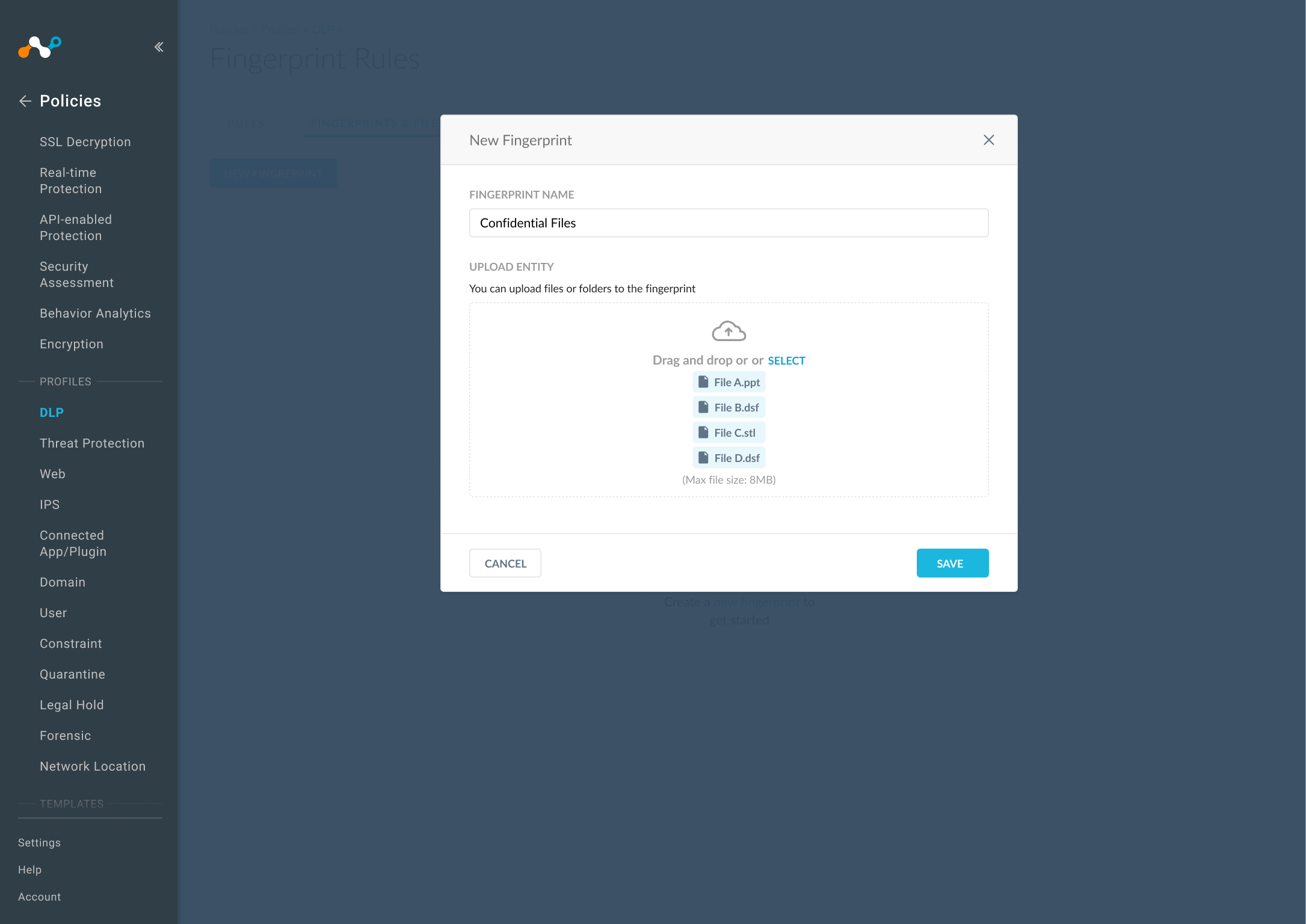
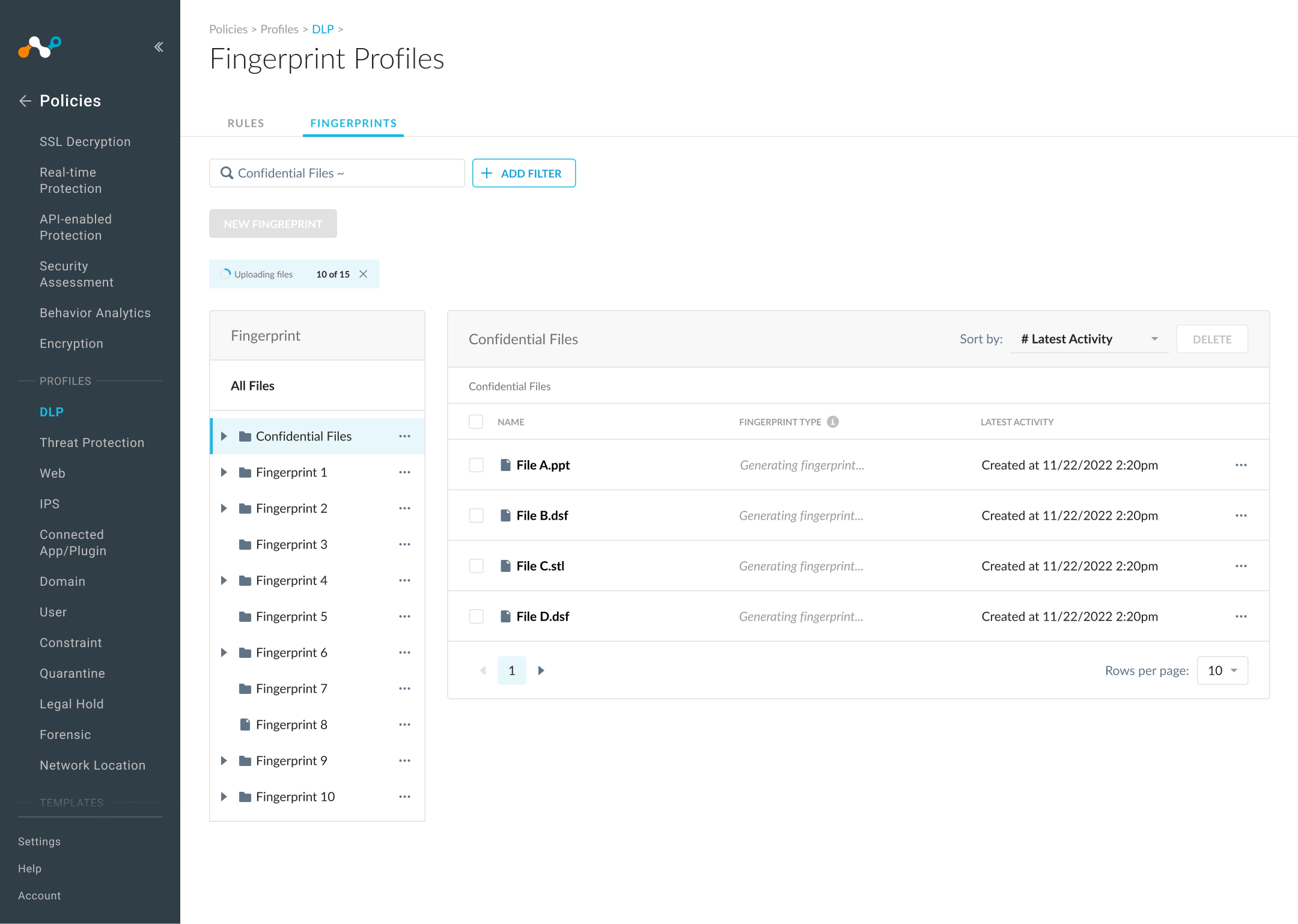
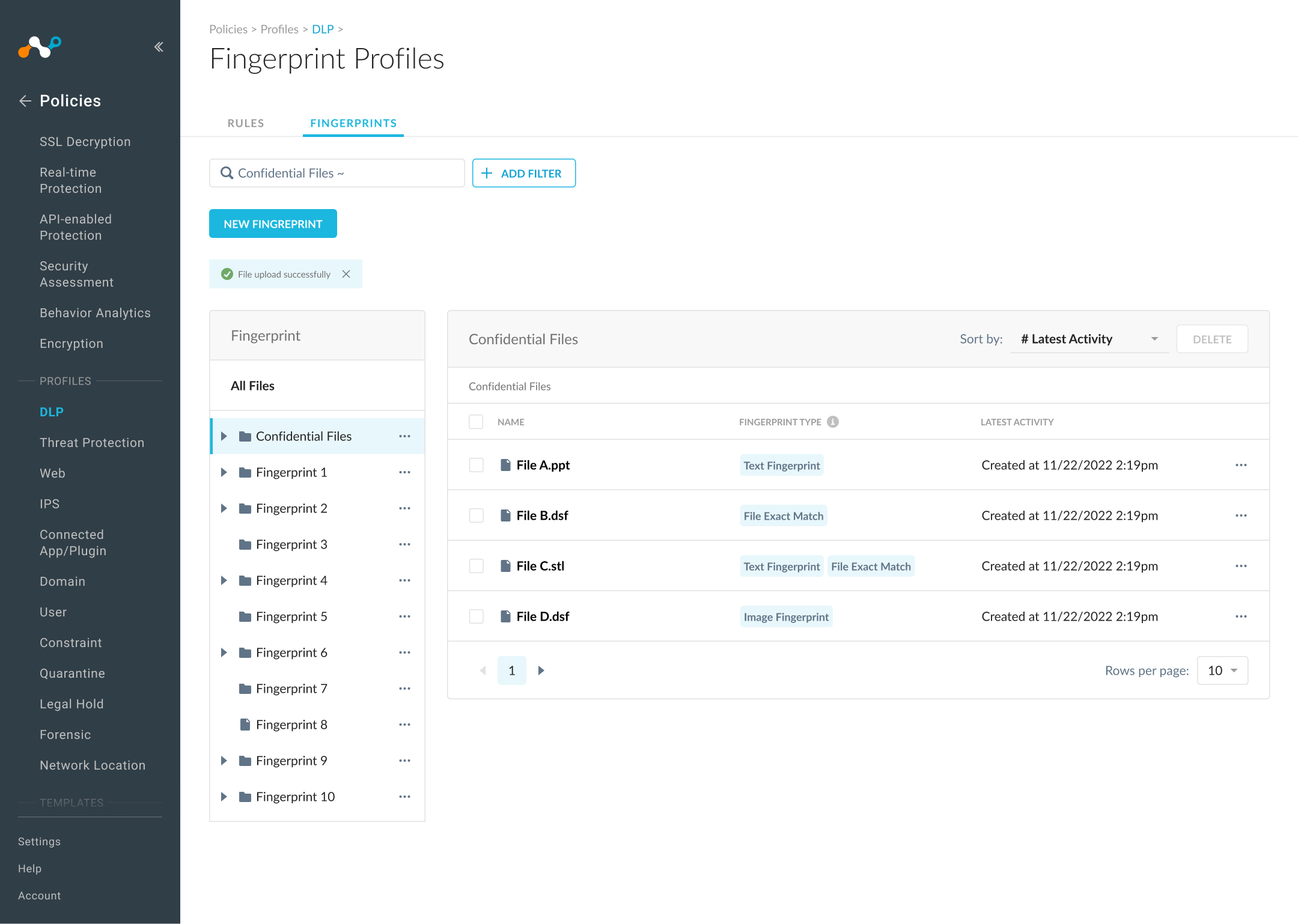
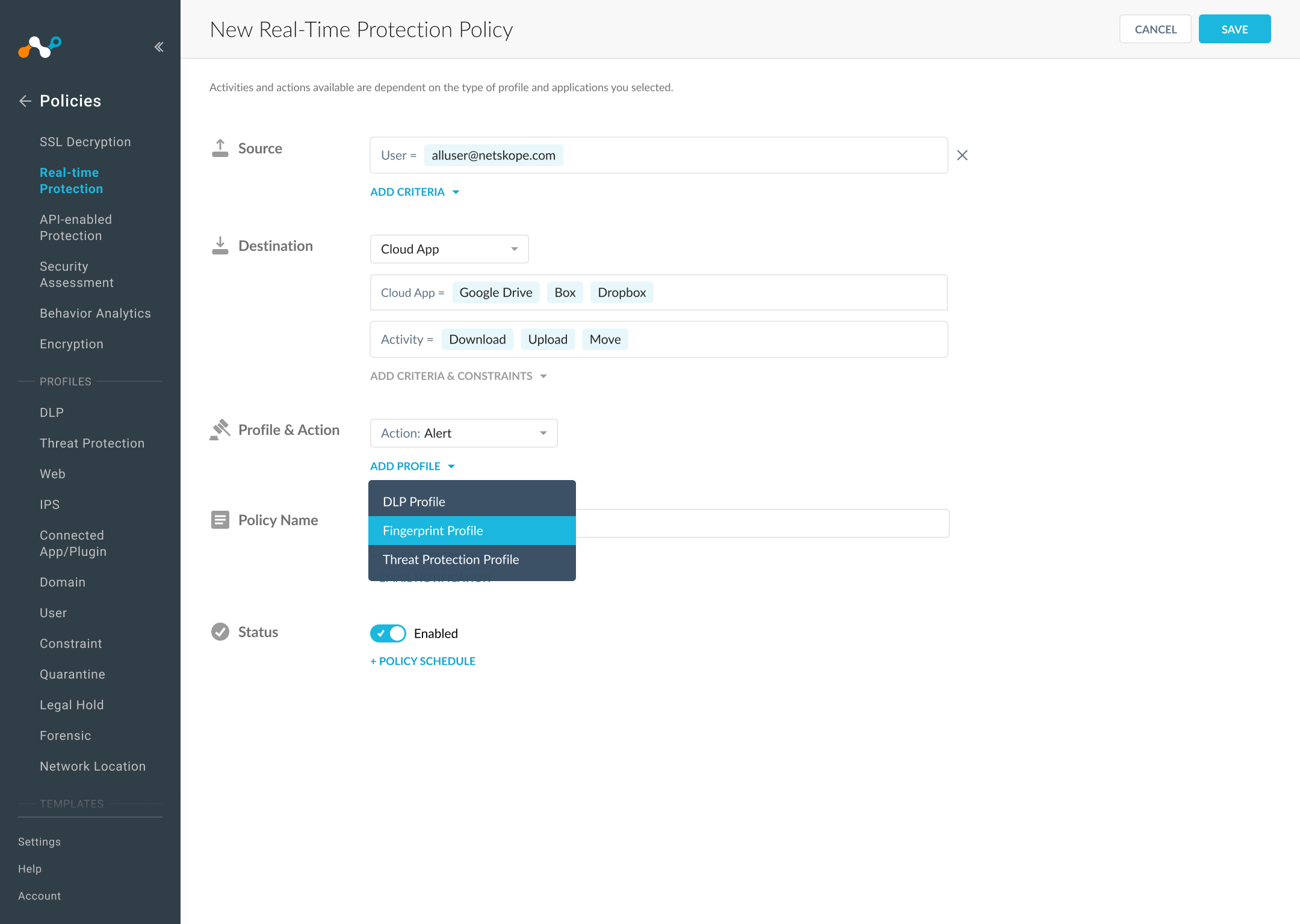
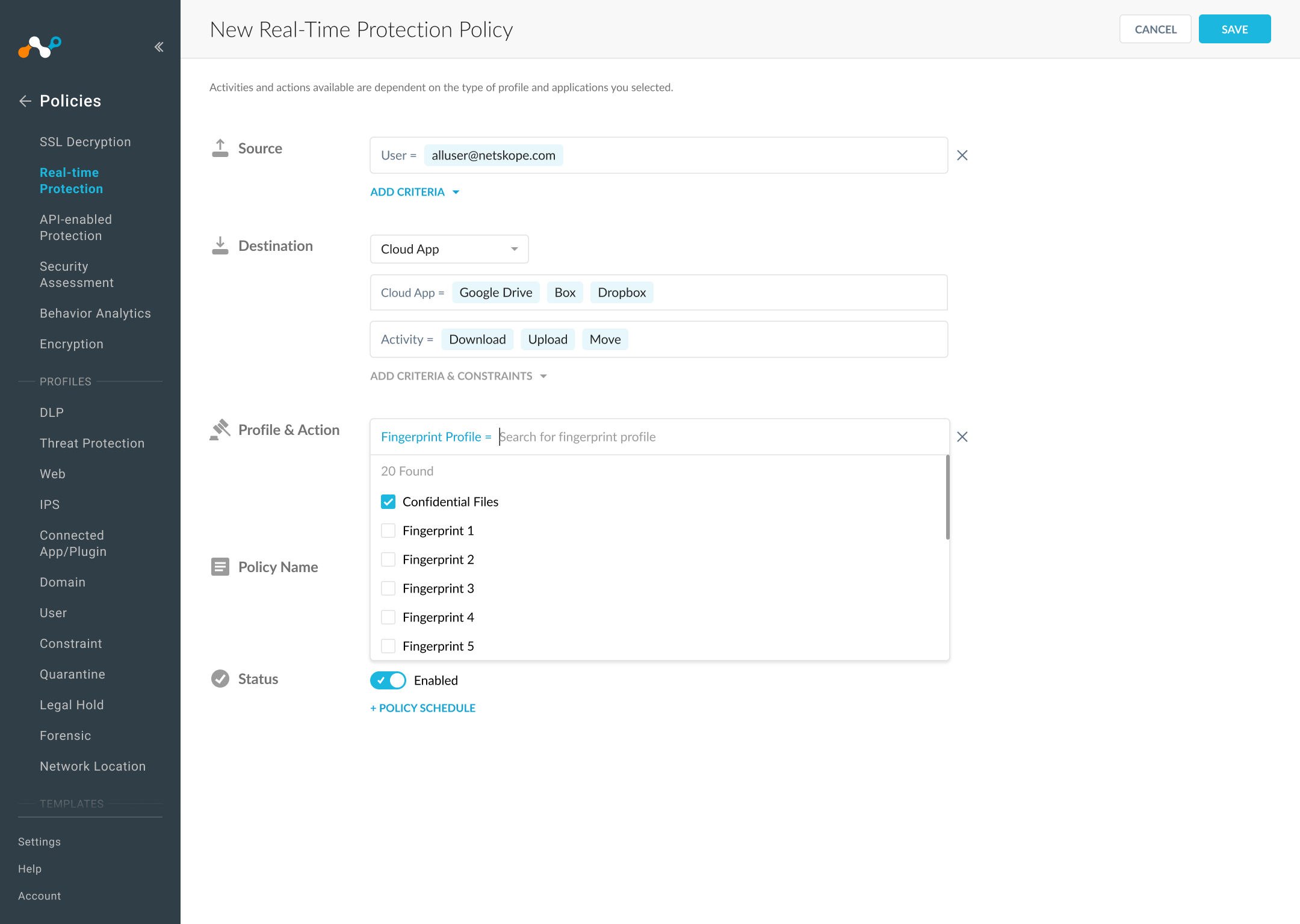
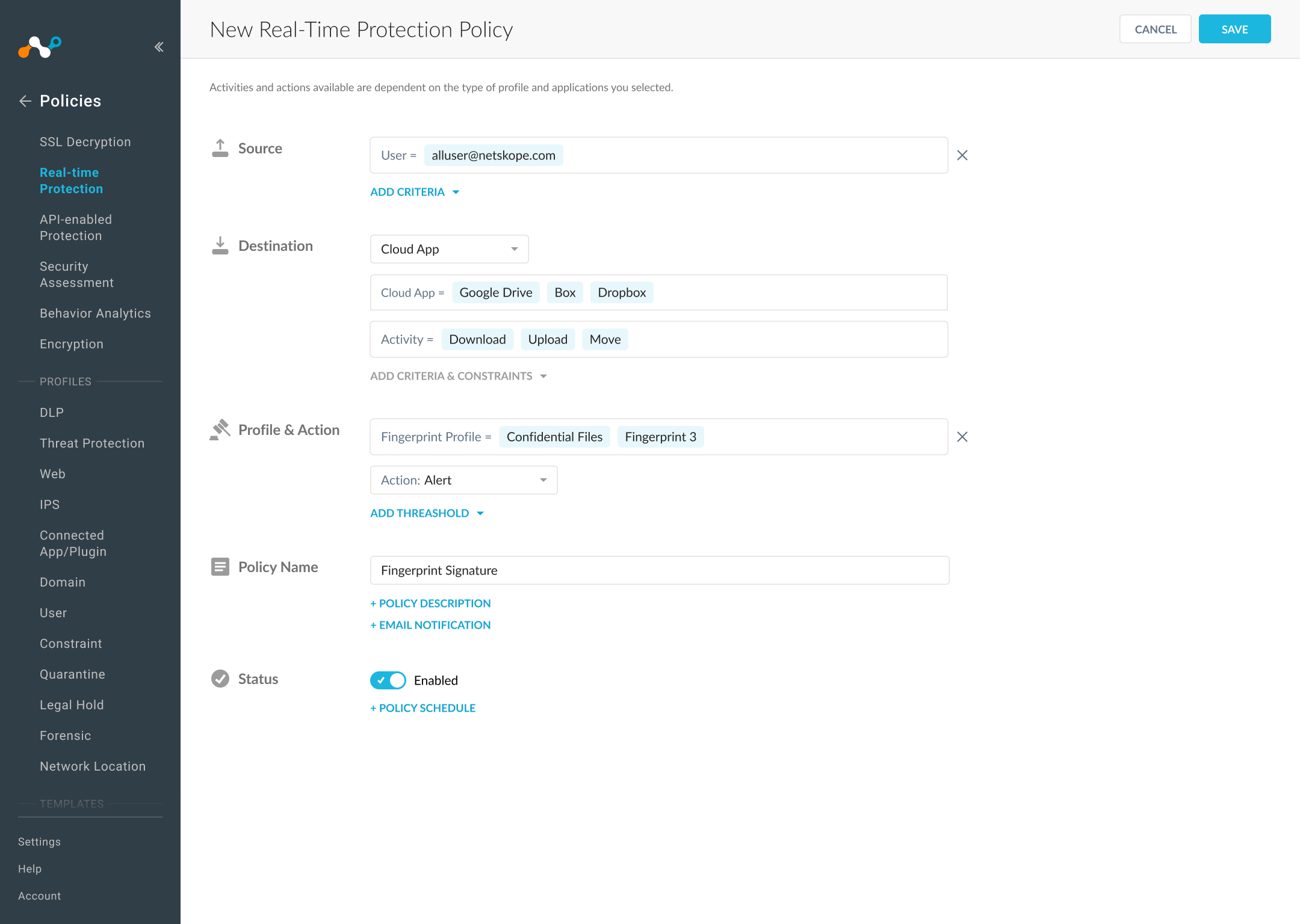
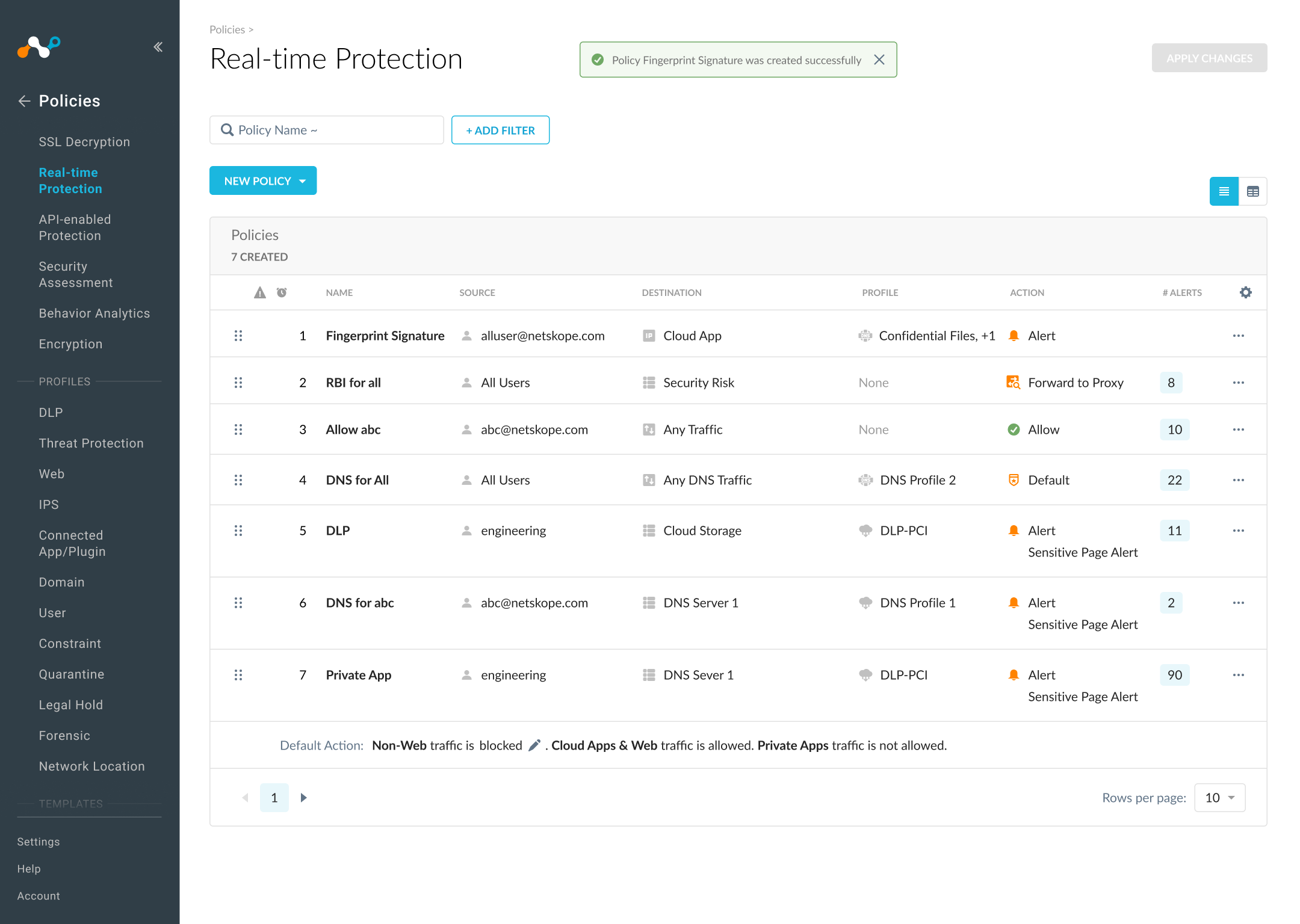
The file manager view
Upload files to fingerprint
Fingerprinting in progress
Fingerprinted successfully
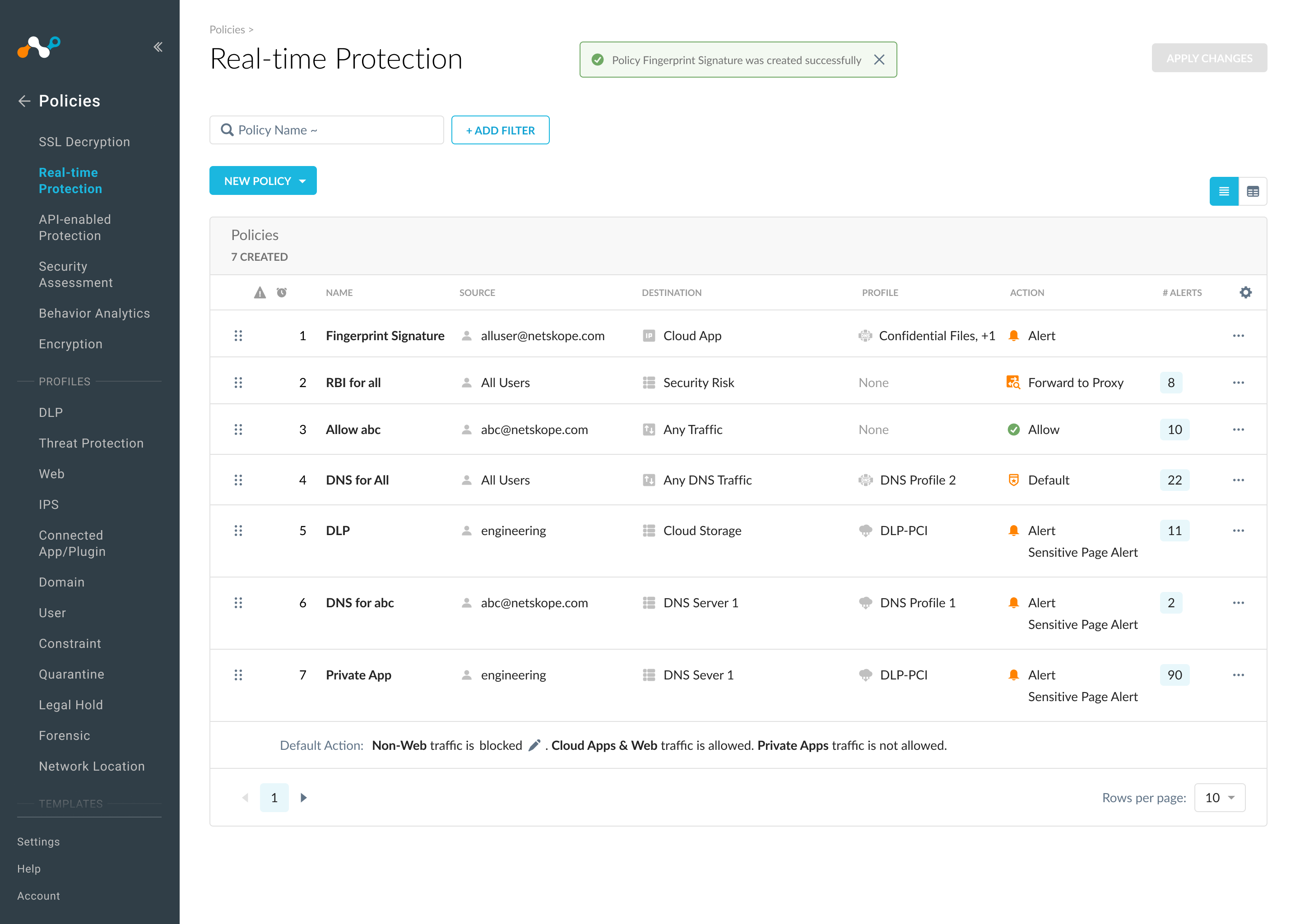
Add fingerprinted files to a policy
Selected fingerprinted files
Selected successfully
Save policy
Design Challenge
File upload and fingerprinting process aren't synced and have multiple engineering constraints — how can I make the process transparent and seamless?
I explored a few different options while working with engineers to understand the constraints and with peer designers for feedback. The main question was whether to combine both processes on a single banner, and whether to use text or icons to showcase the process.
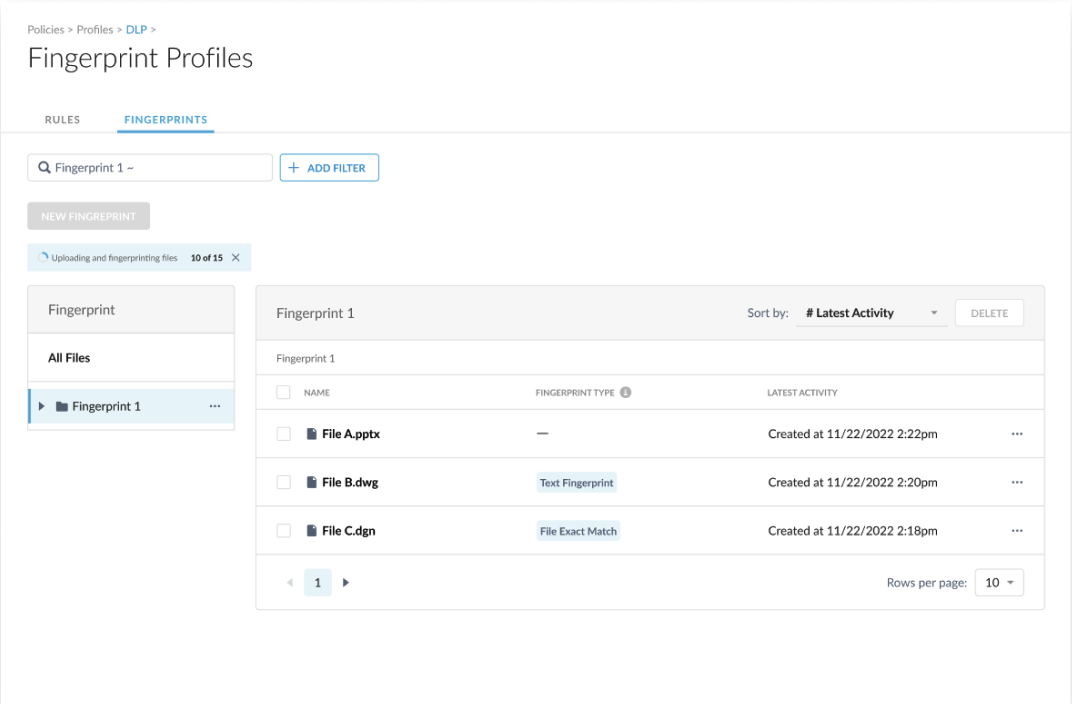
Combined upload & fingerprinting
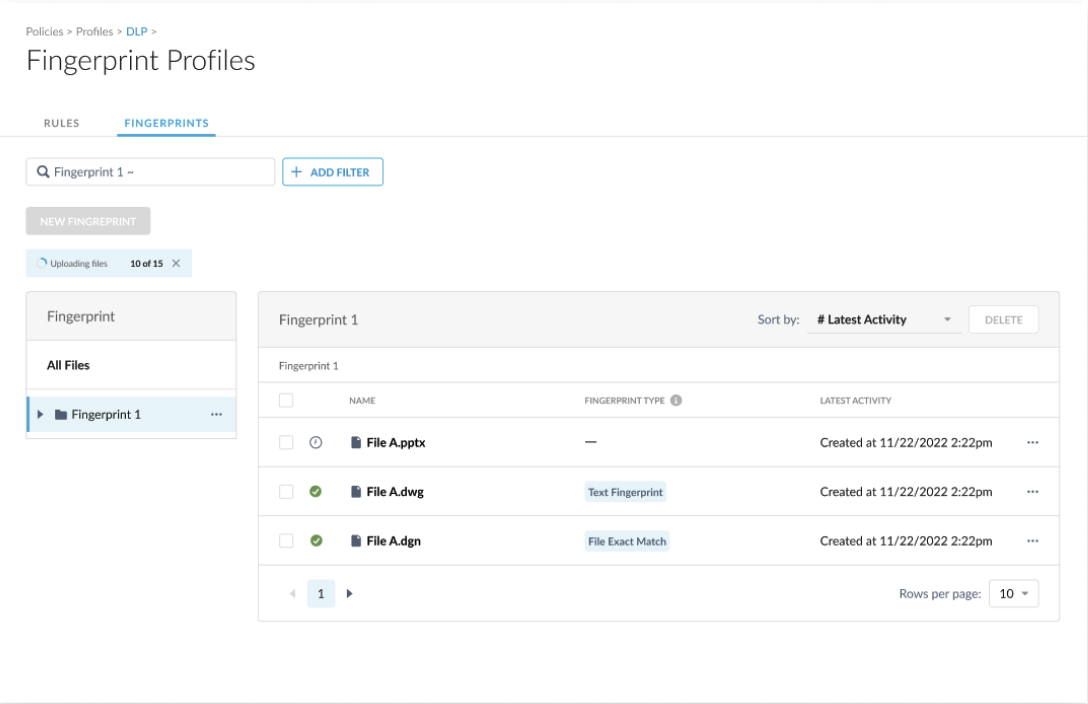
Icon-only status indicator
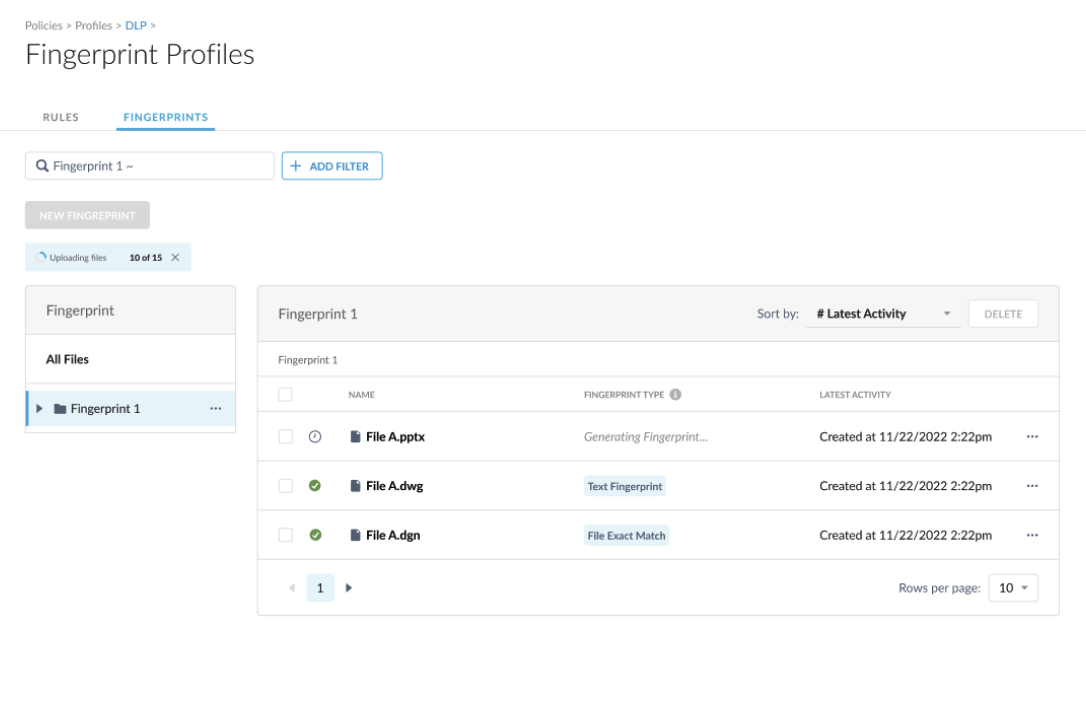
Icon + text status indicator
Design Decision
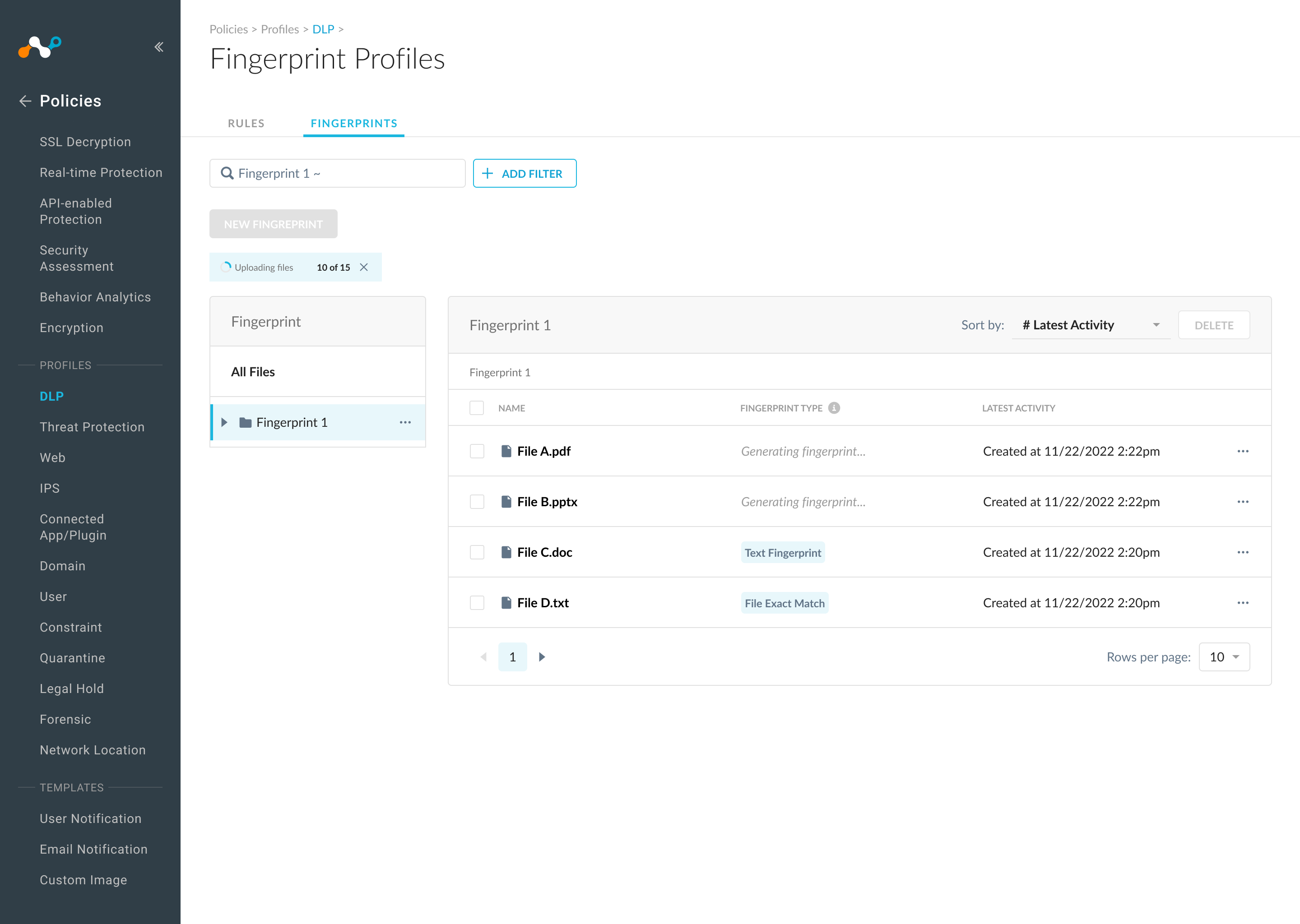
Since the two processes aren't synced, I separate the upload and fingerprinting process: the banner tracks upload progress, the column shows fingerprinting status. The column displays “Generating fingerprint...” while in progress, then switches to a status pill once complete. That way, it keeps the status clear at every step.
Results
90% of DLP users have adopted this feature in 3 months.
We've seen an average of 80% daily active users over the 3 months following adoption.
90% of users provided positive feedback during the survey.
Learnings
Show instead of speak. When stakeholders asked how the design addressed specific scenarios, showing a prototype was far more effective than explaining verbally.
Look beyond the PRD. PMs focus on business impact, designers on user experience — the best outcomes came from questioning and expanding the PRD, not just executing it.